

Everything StrataWx does.
From the air around your aircraft to the airport at the end of the route. Every picture on this page is the app itself.
The atmosphere, built around you.
StrataWx resolves the weather at your aircraft's own position, over any airport, any ocean and everything between, not from a list of supported fields. The temperature curve and the freezing level, the wind at every altitude, up to 24 cloud layers at the bases and tops they really have, the visibility, the pressure and the rain.
Three global models, GFS, ECMWF and ICON, build the column at 11 pressure levels from 925 to 100 hPa. Their winds are averaged as vectors and blended between grid points, so a cruise wind drifts instead of stepping. A METAR anchors the surface: fully within 30 NM of its station, fading smoothly to nothing by 140 NM.
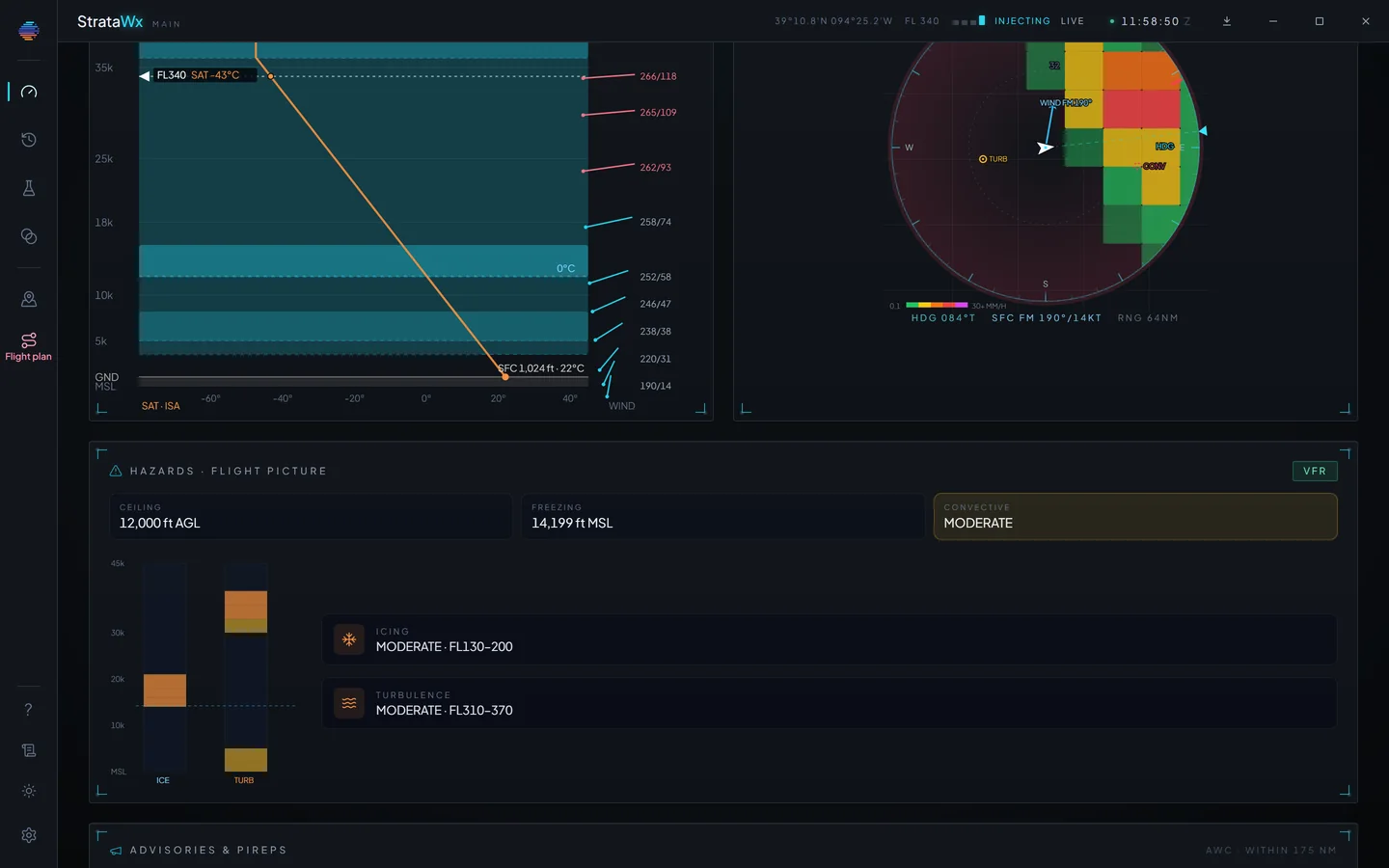
Hazards, before you reach them.
Ceiling, freezing level and convective risk up top. Icing and turbulence bands plotted by altitude. SIGMETs, AIRMETs and pilot reports near you, each with its distance and altitudes.
The precipitation scope around the aircraft is drawn from measured radar in the US, with reflectivity and echo tops, and from the models everywhere else, and it says which.
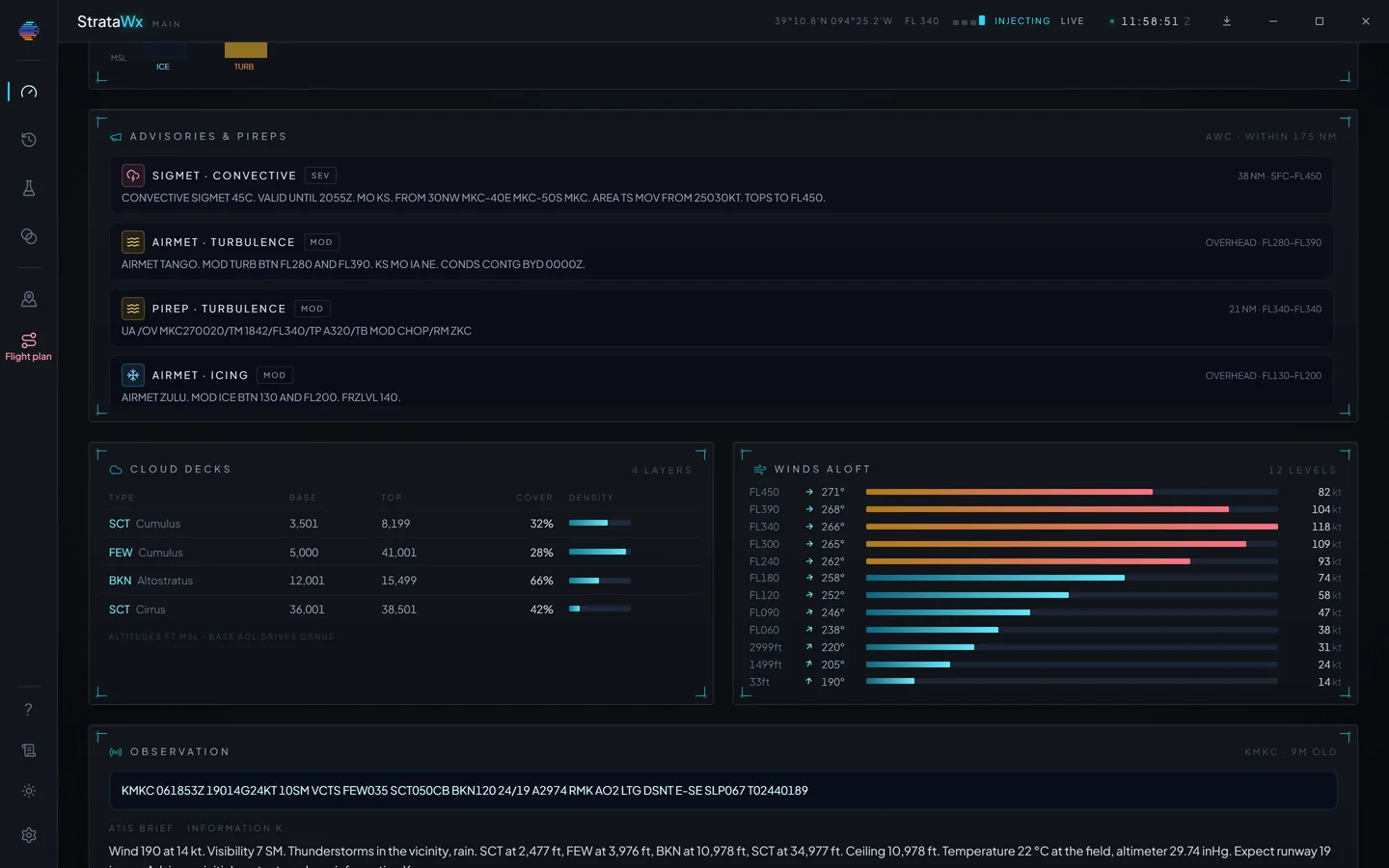
Turbulence you feel in the seat.
On MSFS 2024, StrataWx flies the turbulence the weather calls for: clear air, mountain waves, in cloud, storms, low level and gusts, and light chop, each one switchable and with its own strength. Thermals stay the simulator's own.
A hard hit can come with a shudder, and you can feel a sample bump before you trust a setting. Severe storms stay off until you want them, Autopilot safe keeps the ride inside what the autopilot will hold, and the settings for the PMDG 737 and 777 and the TFDI MD-11 follow what their developers told us. Gliders and helicopters fly the simulator's own air.
Every turbulence setting, explained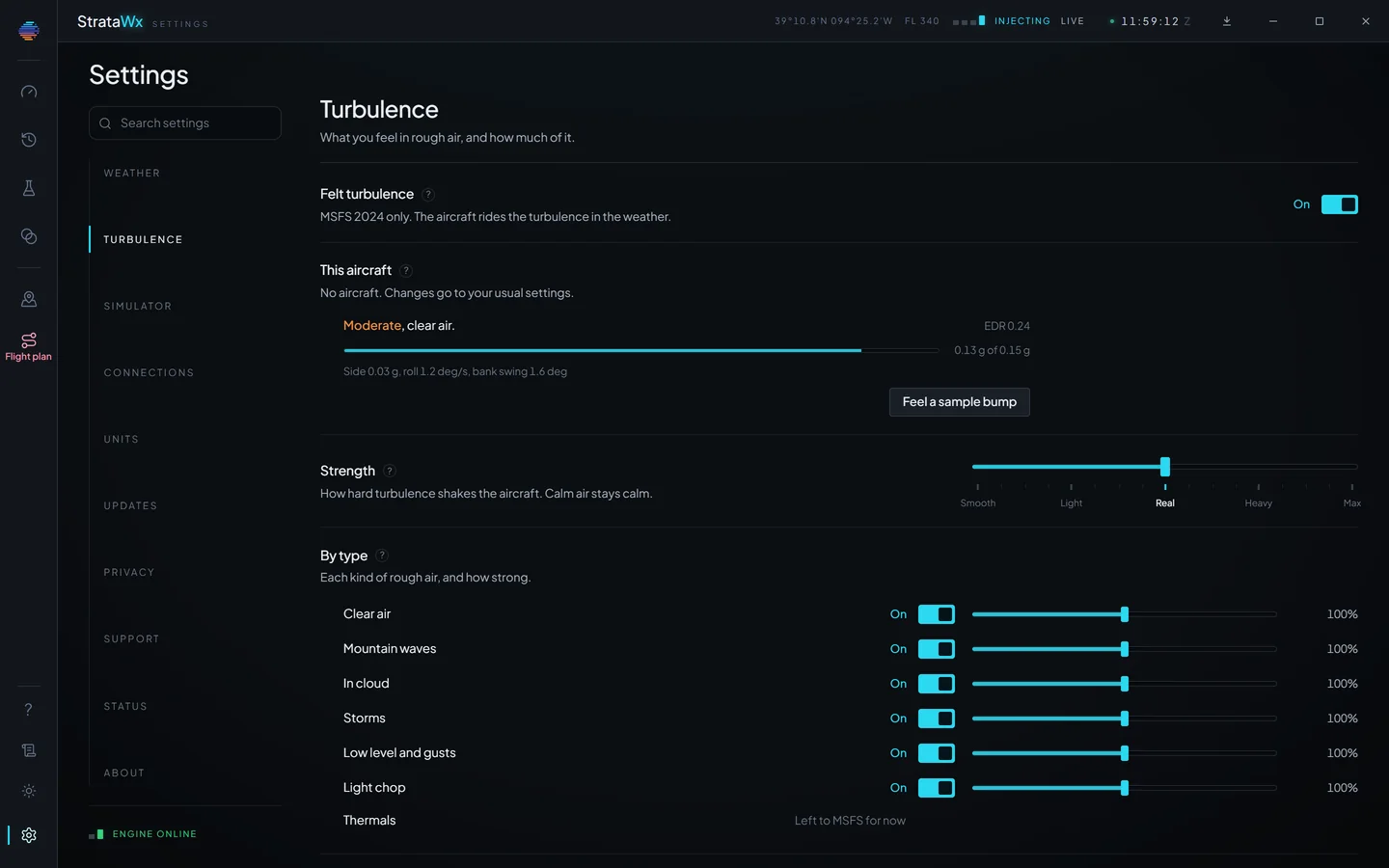
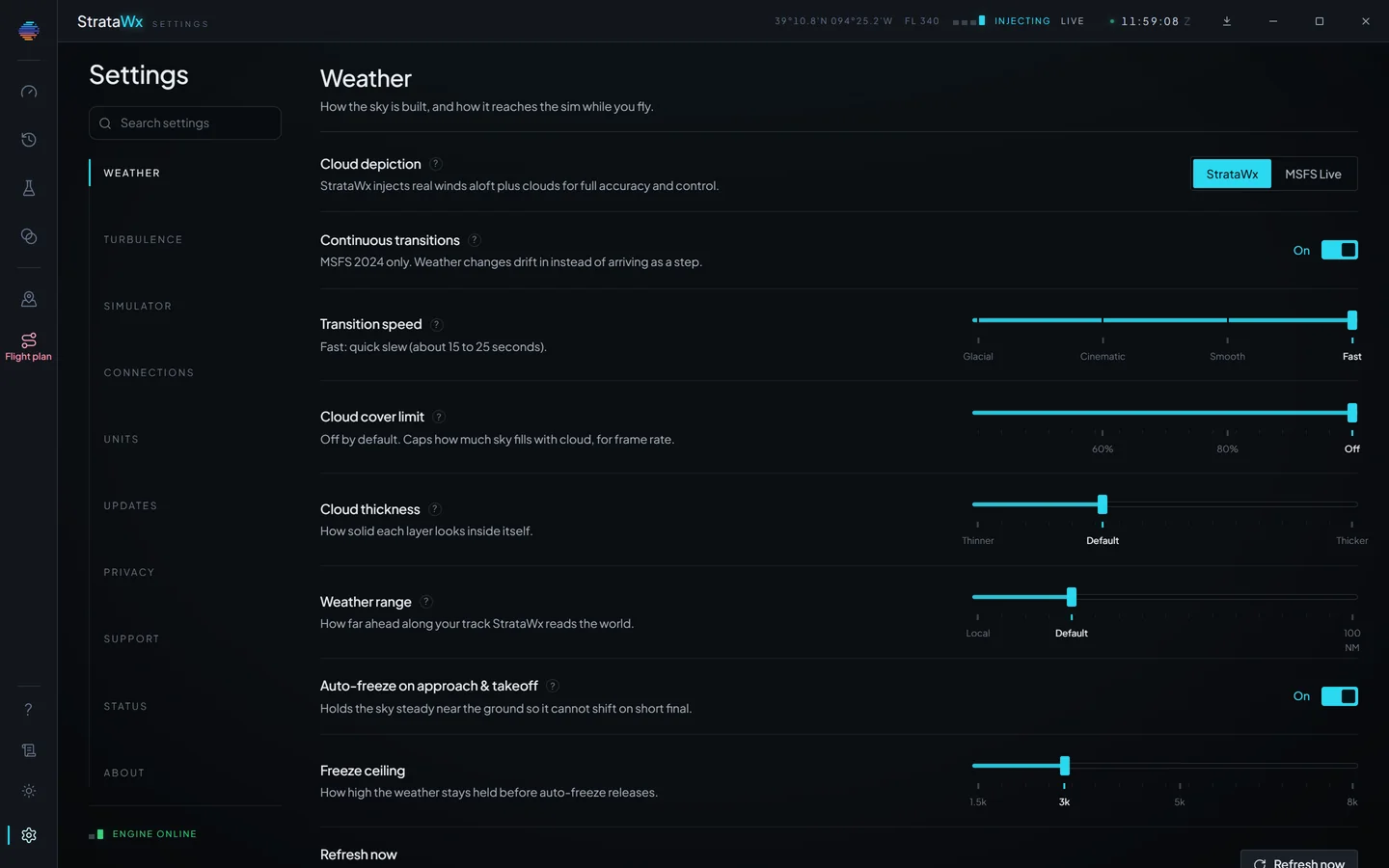
Changes at your speed.
Every change is carried across as a continuous move, at one of four speeds:Glacial, about 3 to 4 minutes for a full change, Cinematic, about 90 to 120 seconds, Smooth, about 40 to 60 seconds, and Fast, about 15 to 25 seconds.
Cloud layers are tracked by identity, so a drifting base eases on the layer it already is and a departing layer dissolves before it is dropped. On MSFS 2024, Continuous transitions stream the in-between weather so a change drifts in. Near the ground, auto-freeze holds the sky still for takeoff and short final, and you can freeze it by hand at any time.
Weather planning.
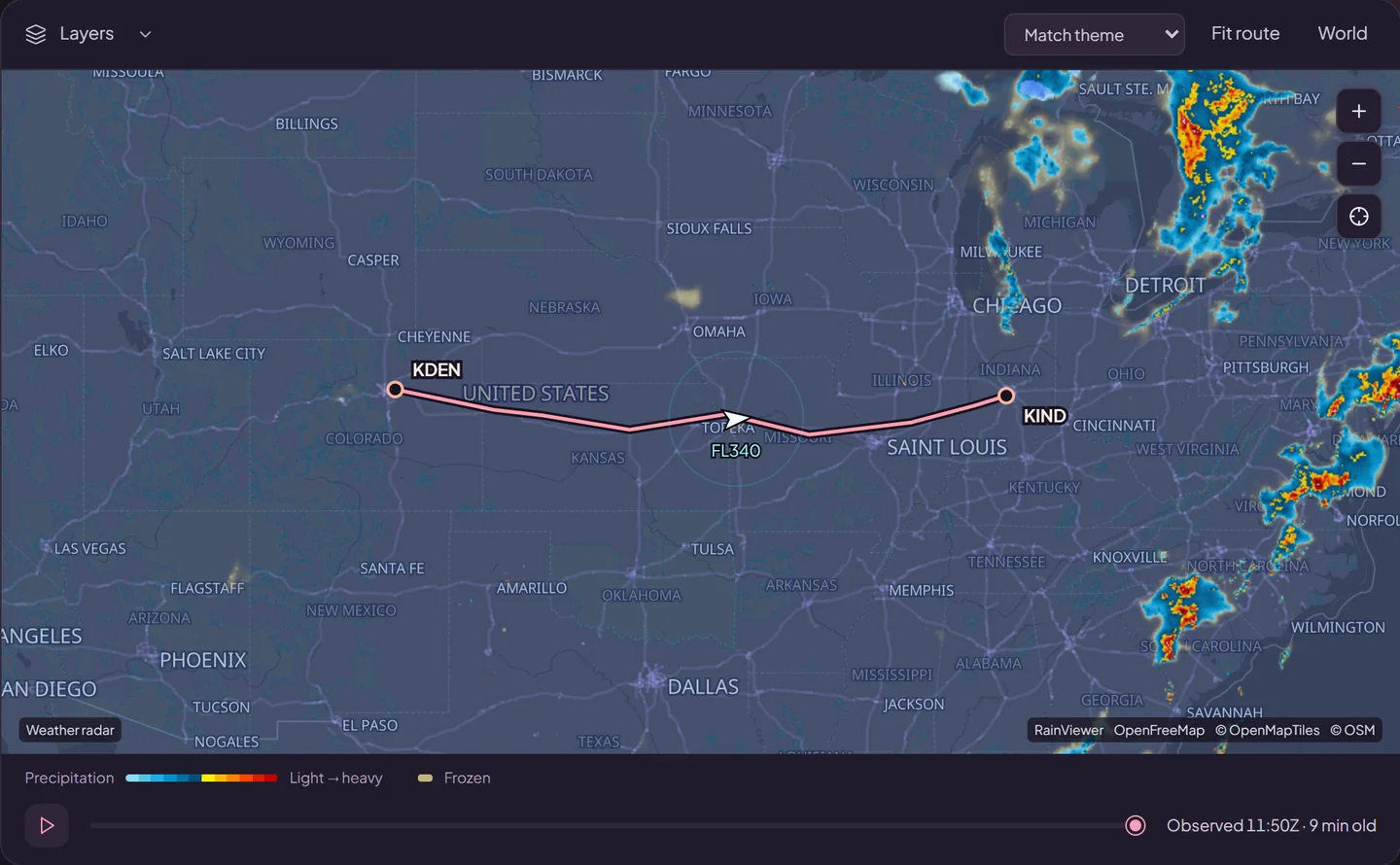
The live radar mosaic for the whole planet, active tropical storms from NHC and JTWC, your route drawn over both, and any airport a click away.
Airport briefings.
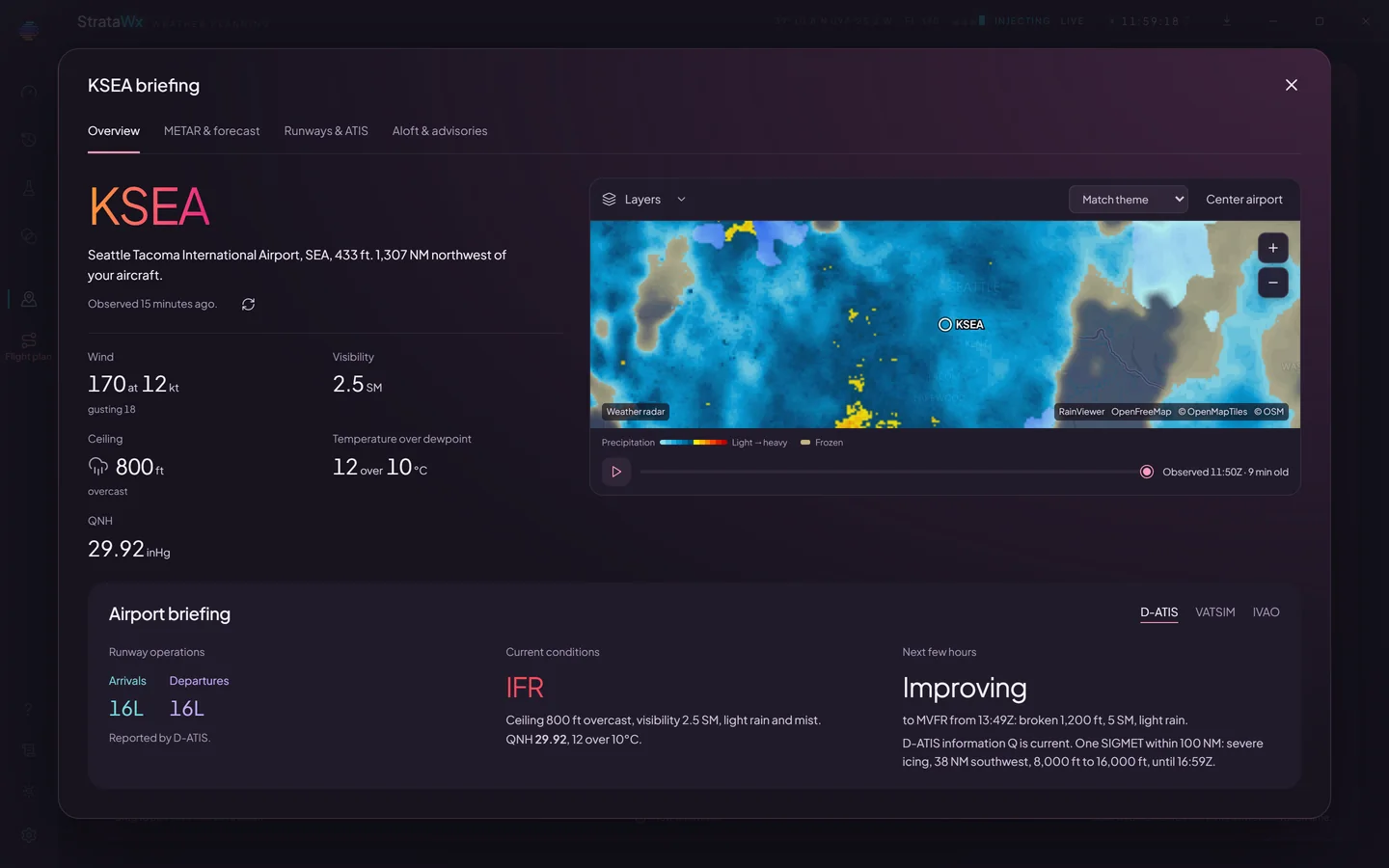
Any ICAO, before or during a flight. The METAR and TAF decoded into plain words, what the next few hours look like, the runway the wind favours with its headwind and crosswind, the winds aloft over the field, and the advisories within 100 NM.
Where the field has one, its D-ATIS, VATSIM or IVAO broadcast sits beside the weather.
The flight plan, fix by fix.
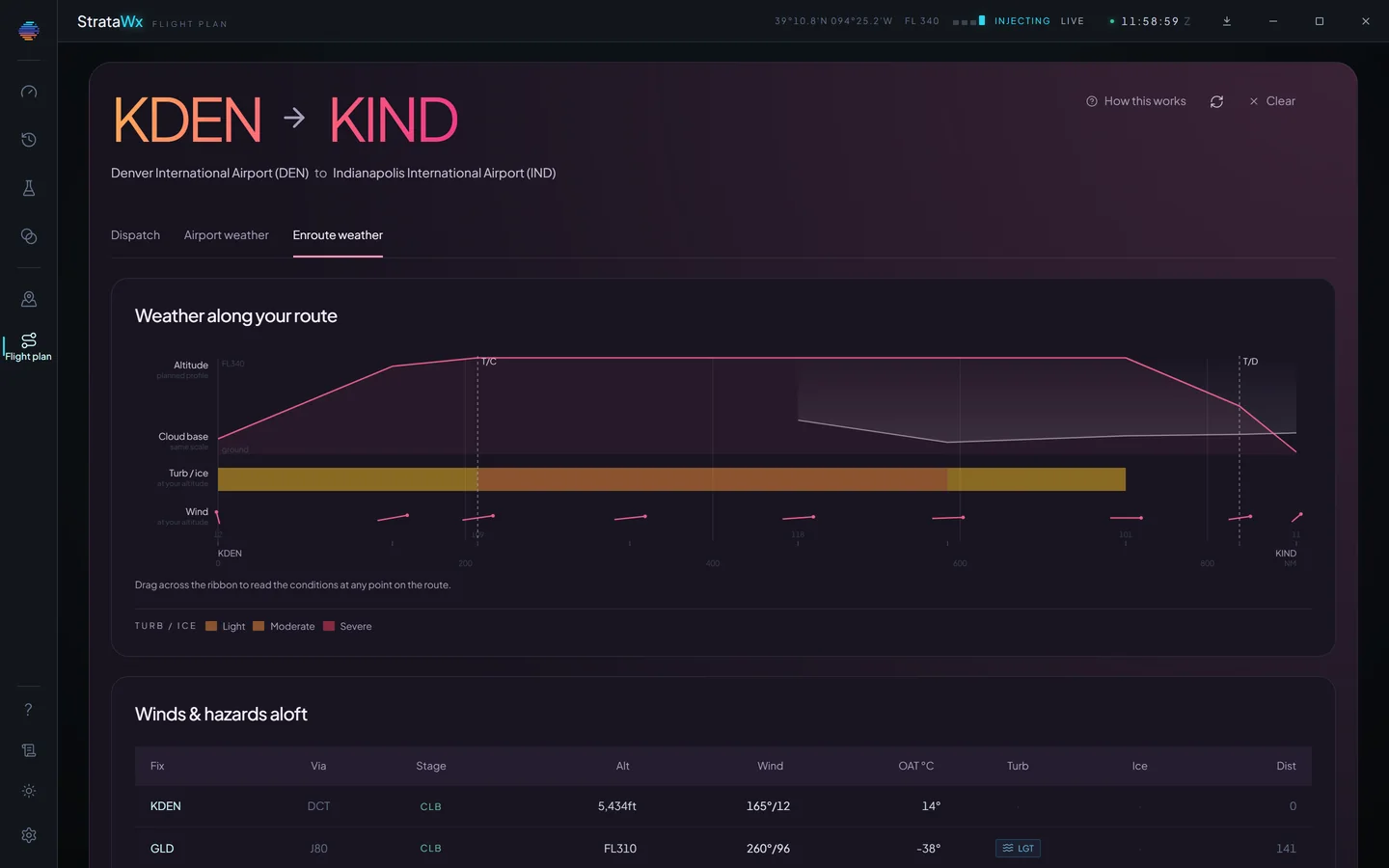
Load your latest SimBrief plan by username or Pilot ID, at launch if you like, and it stays loaded until you fly it. Or open a plan file (.fms, .pln, .fpl, .lnmpln or .pnl), or build a route by hand with no SimBrief at all.
StrataWx briefs the wind, temperature, icing and turbulence at every fix and its planned altitude, draws the route as a cross-section, and sends the winds to a PMDG or iFly FMC. Arm the route corridor and the weather ahead on your route eases in before you reach it.
Four modes, one licence.
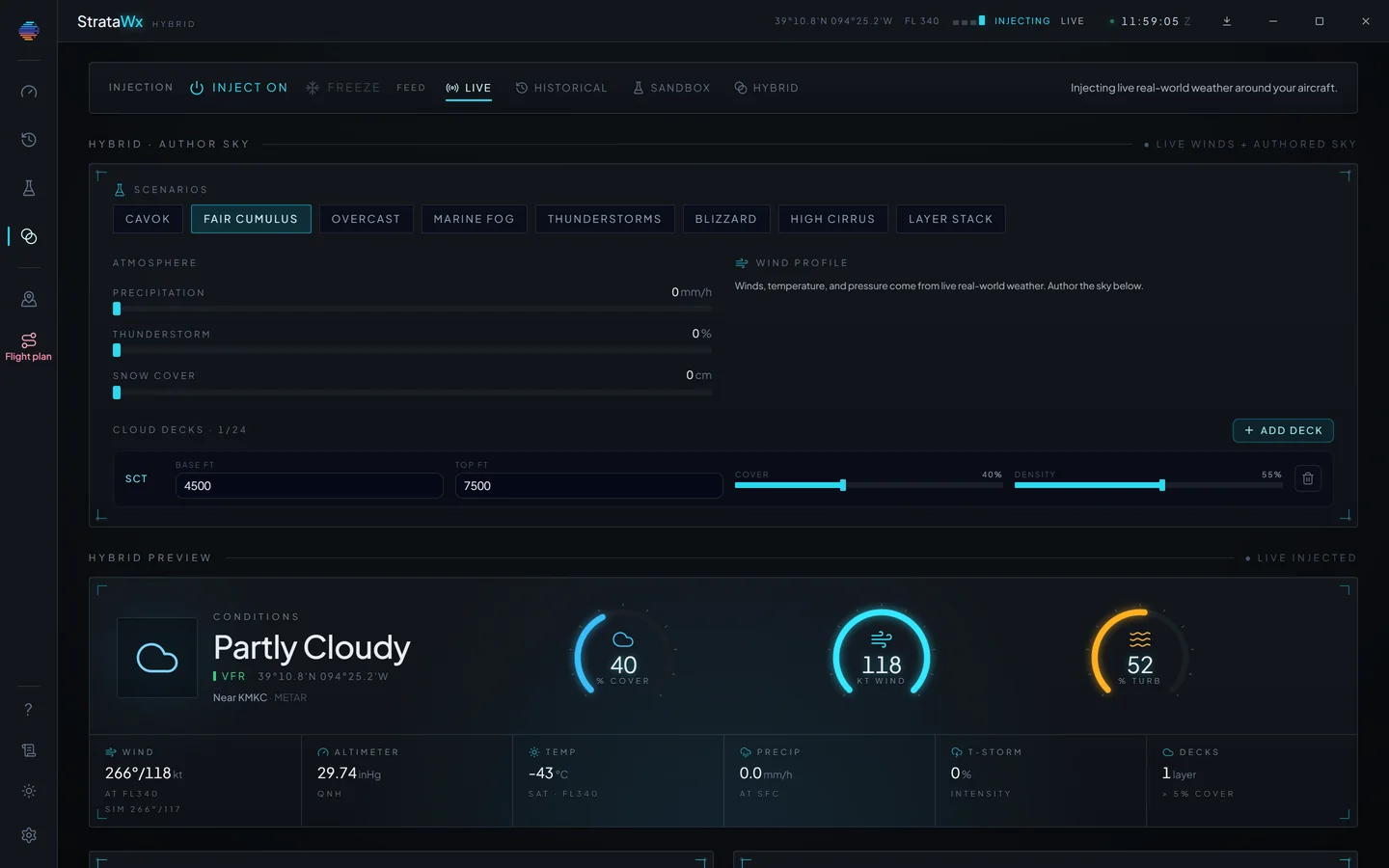
Sandbox starts from a scenario (CAVOK, fair cumulus, overcast, marine fog, thunderstorms, a blizzard, high cirrus or a layer stack) and lets you set every value. Hybrid lays today's real air under the sky you build.
Live
The weather happening right now, kept current around your aircraft for the whole flight.
Historical
A past day rebuilt from the ERA5 reanalysis archive. ERA5 trails real time by about five days, so recent weather is Live's job.
Sandbox
Exact conditions you author: overcast at 1,200 ft, a 30 kt crosswind, moderate chop. It needs no connection at all.
Hybrid
Today's real winds, temperature and pressure under a sky you set by hand.
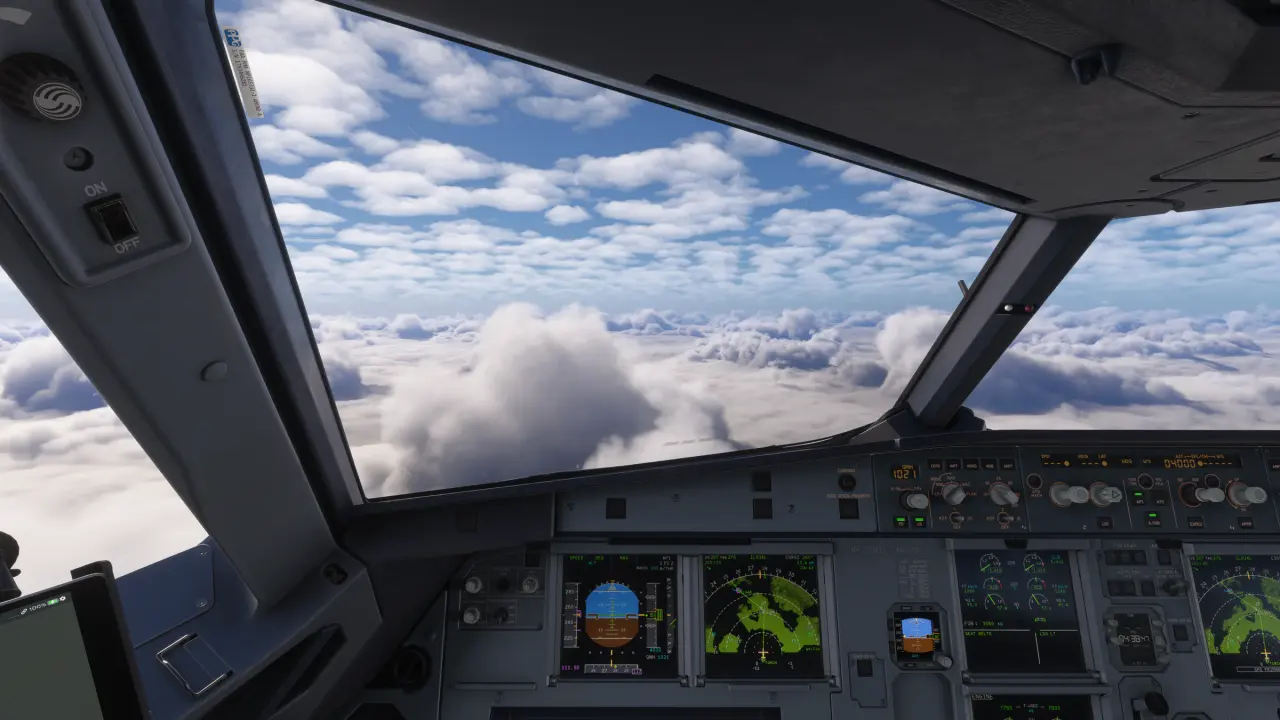
Close the app, and the simulator draws its own weather again. Nothing to restore.
Your sky, or the simulator's.
Prefer MSFS's own weather? Set Cloud depiction to MSFS Live, and StrataWx sends nothing at all and becomes a display of the real weather beside it.
Kept current for you.
Updates arrive in the background, checksum-verified, and never move you backwards. Stable by default, or Beta for new features and fixes early.
Open to your own PC.
A local API on 127.0.0.1 serves the weather, the ATIS and your route briefing to anything else running on your machine.
See it in your own sky.
From $29.99, once, on StrataSim Shop, and every update to a simulator you own is free. For Microsoft Flight Simulator 2024 or 2020, or X-Plane 12, on 64-bit Windows 10 or 11.